
How Construction ERP Software Improves Cash Flow, Project Cost Control and Profitability
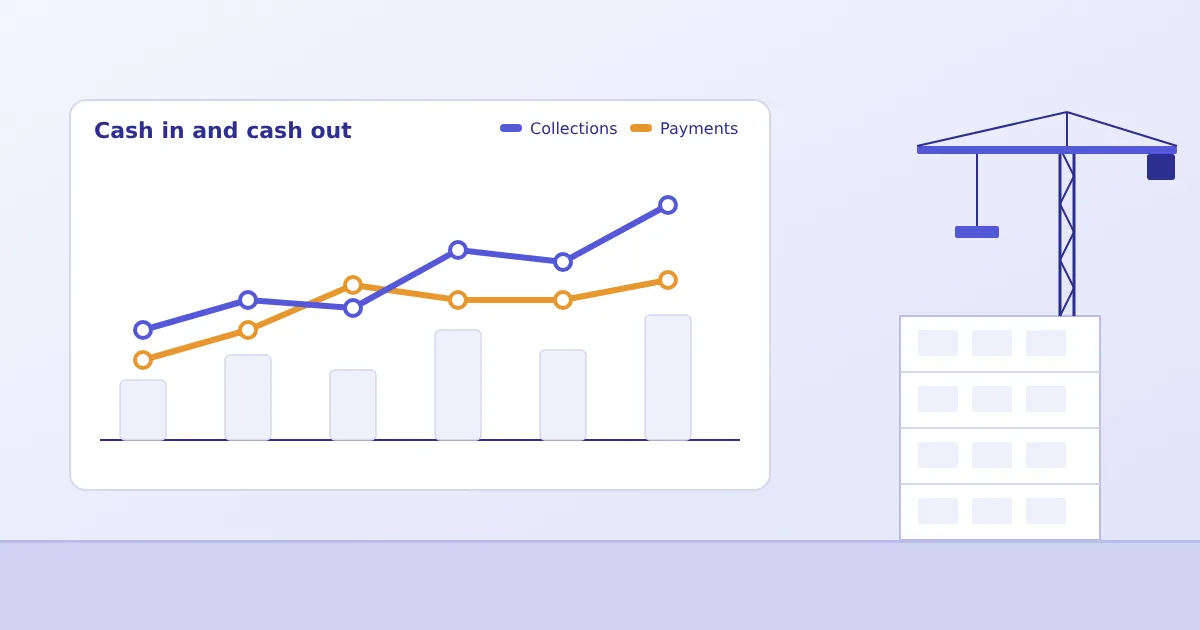
A project can be profitable on paper and still be short of cash. Anyone who has run a construction business has seen it: the customer's stage payment is delayed, three contractor bills fall due in the same week, and a supplier stops delivering until the old invoice is cleared. The project's final margin may be fine. The month is not.
Cash flow, cost control and profitability are usually discussed as three separate topics, handled by three separate people. In practice they are one chain. This article explains how construction project cost management software links them, and what business owners, finance heads, project controllers and developers should each look for.
Four numbers every project needs side by side
Most project reports show one or two of these. Cost control needs all four, for each project, at the same date.
- Budget: the approved cost for each head of work.
- Committed cost: purchase orders and work orders placed, whether or not goods have arrived or bills have been received.
- Actual expenditure: bills booked and payments made.
- Work in progress: the value of work executed but not yet billed or booked.
The gap between committed and actual is the liability that is coming. The gap between budget and committed is how much room is left. A report that shows only paid amounts hides both.
Contractor and subcontractor bills
Contractor bills are the main outflow in many projects, and they arrive on the contractor's timetable. The finance team's task is to know what is due, what has been verified and what is disputed.
If you are assessing subcontractor billing software, start with verification, because that is usually the weak point. A running bill is checked against measured quantities, the work order rate, previous bills, advances and deductions. If the work order value and previous bills are in one system, the check is quick and the cumulative position is clear. If they are in different spreadsheets, a bill can cross the order value before anyone notices. Bigsun's ERP does not allow a bill to exceed its purchase order amount, and approval routing for bills is configured to your contracts. Deductions such as retention and advances vary between builders, so those formats are set up during implementation.
The cash-flow benefit is predictability. When approved bills and their due dates are listed in one place, the finance head can plan payments instead of reacting to phone calls.
Customer invoicing and collection follow-up
For developers selling units, money comes in against construction milestones or agreed payment plans. The delay between reaching a milestone and raising the demand is lost cash. Where project progress and customer billing sit in connected systems, the milestone can trigger the demand and the follow-up can be tracked.
A practical note: customer billing and collection tracking vary a great deal between businesses, depending on whether you are a developer, a contractor billing a client, or both. The Construction ERP page lists vendor bills, payments, bank reconciliation and statutory reports as part of Bigsun's platform, and describes project-specific workflows as configured to your requirements. If customer demand letters and collection follow-up are central to your process, put them on the agenda for the demonstration so scope is confirmed before you decide.
Payment schedules and outstanding liabilities
A liability schedule answers a simple question: what do we owe in the next thirty, sixty and ninety days, project by project? Building it requires committed costs, approved bills and agreed payment terms in the same place.
It also protects supplier relationships. Construction depends on goodwill: a vendor who is paid reliably will prioritise your delivery when material is scarce. A schedule that shows delays developing lets you decide which payments to prioritise and which to negotiate, rather than discovering the problem through a stopped supply.
Illustrative cash position on a single project
Assumed figures, for explanation only. Consider a project with a ₹40 crore approved budget at a point midway through execution.
| Measure | ₹ crore |
|---|---|
| Approved cost budget | 40.0 |
| Committed through orders | 26.0 |
| Bills booked from vendors and contractors | 19.0 |
| Payments made | 15.0 |
| Customer demands raised | 21.0 |
| Customer collections received | 16.5 |
Read together, the table says several things. Bills booked but unpaid are ₹4.0 crore, which is the near-term payable. Committed but not yet billed is ₹7.0 crore, which will become payable as work proceeds. Net cash position on this project is ₹1.5 crore (collections less payments). Customer demands raised but not collected are ₹4.5 crore, so the cash gap is mostly a collection question, not a spending question. Without all six numbers in one view, a team could conclude the wrong thing and cut spending when it should be chasing receipts.
Project-wise profitability and financial reporting
Construction project profitability on a live project is an estimate: revenue recognised or billed, less costs incurred, plus an estimate of cost still to come. The last item is where reporting gets difficult and where it matters most. Bigsun's ERP supports budget-to-payment tracking covering budget, order, invoice, payment and cost to go, configured to your reporting needs, so that the forecast margin is built from recorded data and not from the project manager's recollection.
Consistent cost coding is the precondition. If a steel purchase is posted to the wrong project or head, every report built on it is wrong. Agreeing the cost structure with finance and project teams before go-live is a larger task than most buyers expect.
Spotting margin erosion before completion
Margin rarely falls in one event. It erodes through a few repeating patterns, and each leaves a trace in the data:
- Committed cost on a head growing faster than the physical progress on that head.
- Repeated emergency purchases at rates above the budget rate.
- Work orders revised upwards without a matching change in scope or customer billing.
- Delays that extend site overheads such as supervision, equipment hire and security.
- Estimated cost to complete rising at each review.
A monthly review that compares these trends across projects will find problems sooner than a review that only asks whether the project is "on budget". Our article on cost reduction with construction ERP software describes the budget-versus-commitment discipline behind several of these signals.
Connecting finance with procurement and site operations
Finance data is a record of events that happened elsewhere. A purchase order, a material receipt, a measured quantity and a contractor bill each originate in a different team. When they are entered once and flow to accounts, finance spends less time chasing documents and more time analysing. When they are re-entered, timing differences and errors enter the books.
The project lifecycle view shows how each stage feeds the next, and the inventory article covers the material side of the same chain.
What each role should ask
Business owners
Can I see, for each project, forecast margin and cash position without asking for a special report? How current is the data?
Finance heads
Can I see committed liabilities and approved bills by due date? Do project costs post to accounts without re-entry, and does the system fit our GST and statutory reporting?
Project controllers
Does the system show budget, commitment, actual and cost to go at the activity level, and does it prevent a bill or order from silently exceeding its limit?
Developers
How are customer demands linked to construction progress, and how are collections tracked? Does the system handle multiple projects, sites and companies under one view?
Next step
The right way to evaluate any system is to bring your own project data shape to the demonstration and ask to see these reports. Details on what Bigsun's platform covers, and what is configured per project, are on the Construction ERP page, and our team can be reached through the demo form there.